Email Passwordless Login with Embedded Wallets
Embedded Wallets provides built-in support for email and SMS-based authentication, allowing users to log in seamlessly using a one-time passcode (OTP) sent to their email address or phone number. This form of passwordless authentication simplifies the onboarding process, removes friction for end users, and expands accessibility—especially in regions where social login options may be limited.
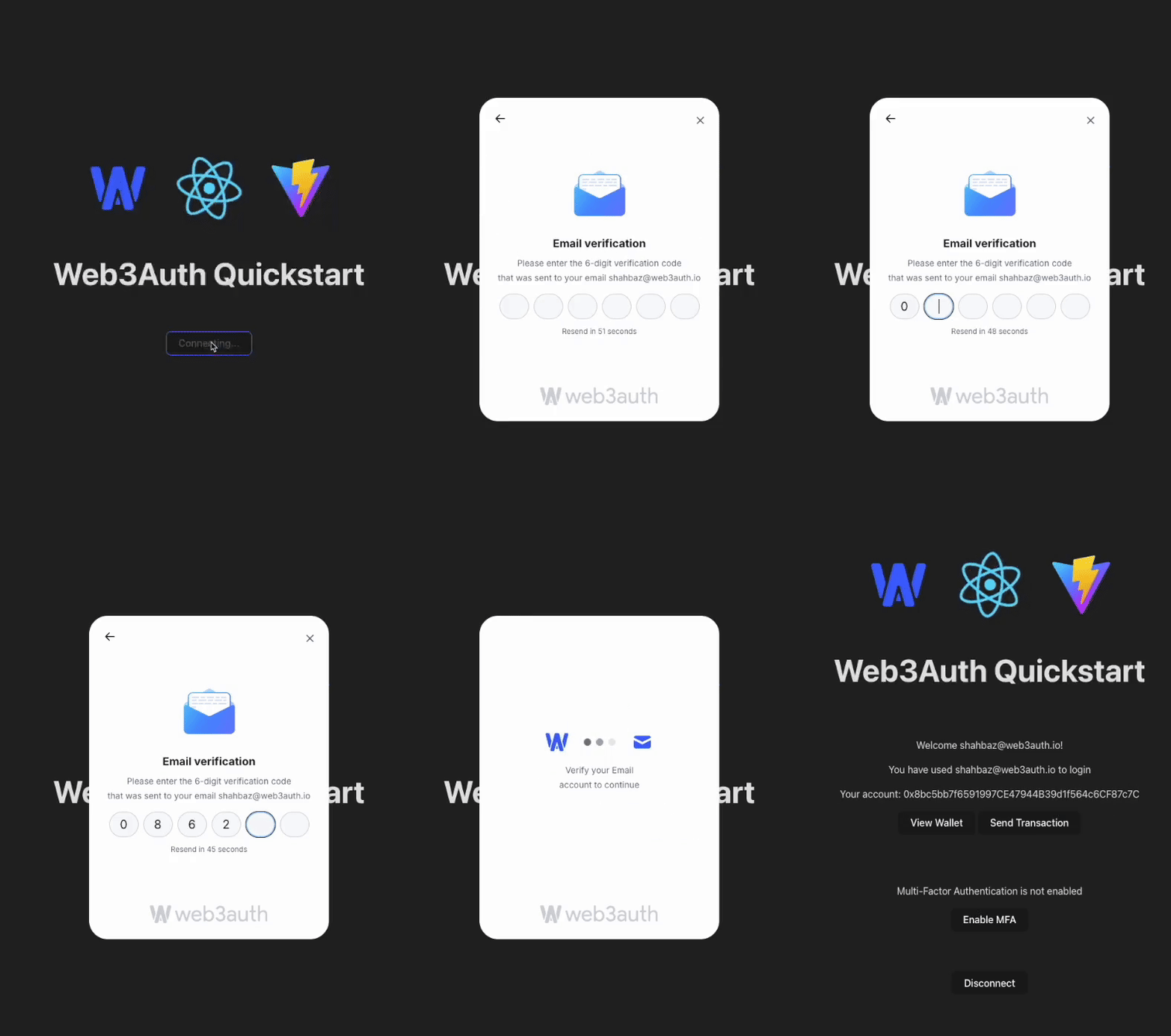
Set up a custom email connection
To use this feature, developers must first enable Email Passwordless from the Social Connections section in the dashboard.
By default, Web3Auth uses its own pre-configured credentials for email login.
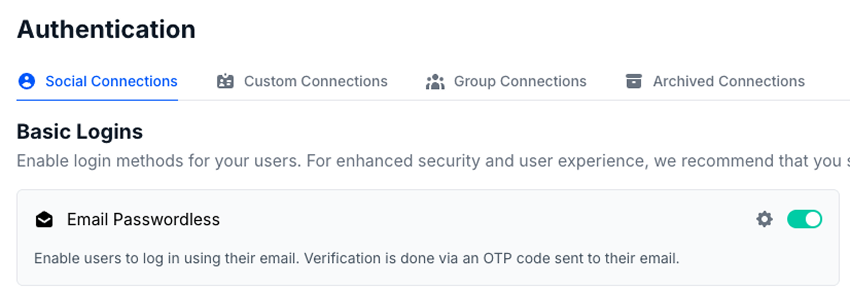
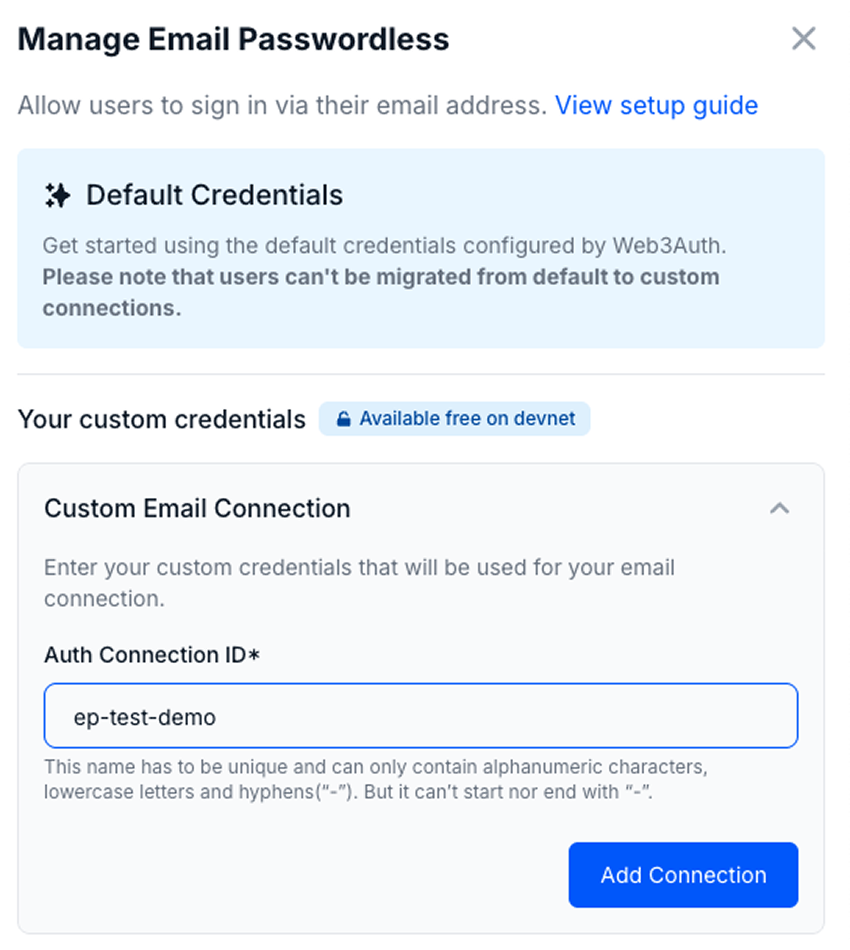
For enhanced control and branding, developers are encouraged to configure a custom email connection. Follow these steps:
- Visit the dashboard.
- Navigate to the Social Connections section.
- Click the Settings icon (next to the toggle for Email Passwordless.
- Enter your custom
Auth Connection ID. - Click Add Connection to complete the setup.
Usage
import { WALLET_CONNECTORS, WEB3AUTH_NETWORK } from '@web3auth/modal'
import { type Web3AuthContextConfig } from '@web3auth/modal/react'

const web3AuthContextConfig: Web3AuthContextConfig = {
  web3AuthOptions: {
    clientId: 'YOUR_WEB3AUTH_CLIENT_ID', // Pass your Web3Auth Client ID, ideally using an environment variable
    web3AuthNetwork: WEB3AUTH_NETWORK.SAPPHIRE_MAINNET,
    modalConfig: {
      connectors: {
        [WALLET_CONNECTORS.AUTH]: {
          label: 'auth',
          loginMethods: {
            email_passwordless: {
              name: 'email passwordless login',
              authConnectionId: 'w3a-email_passwordless-demo',
            },
          },
        },
      },
    },
  },
}

export default web3AuthContextConfig
Follow our quickstart to set up the basic flow.