Twitch Social Login with Embedded Wallets
Twitch supports social login, allowing users to sign in using their Twitch credentials. Embedded Wallets supports Twitch as a social login provider, allowing developers to offer a familiar and quick authentication method for users with Twitch accounts.
Prerequisites
- Registered Twitch App
Step 1: Create a Twitch app
-
Follow Twitch's registration instructions to register your app.
-
Paste the following as a Redirect URI into the "OAuth Redirect URLs" field.
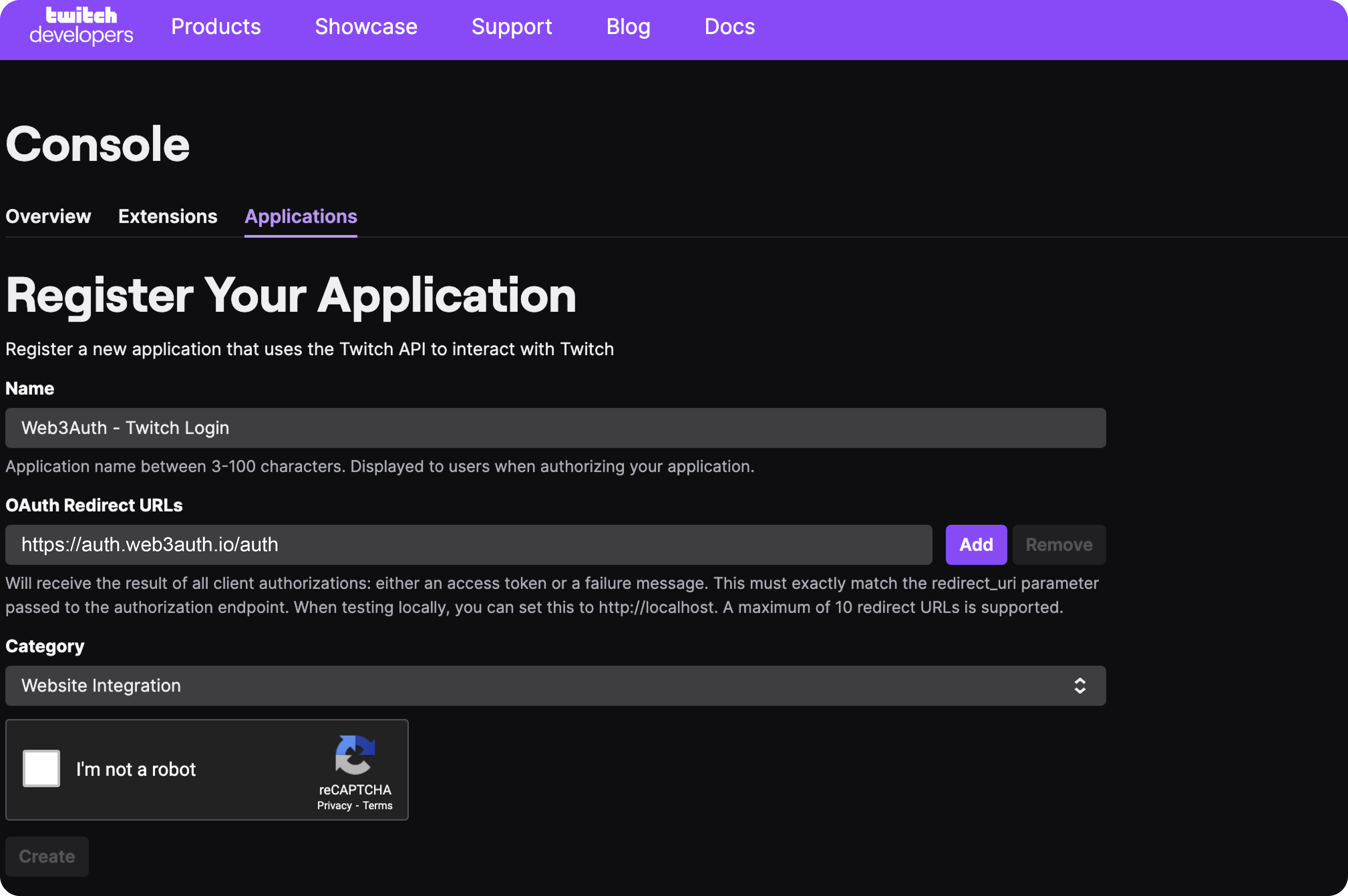
-
After creation of your Twitch app, click Manage.
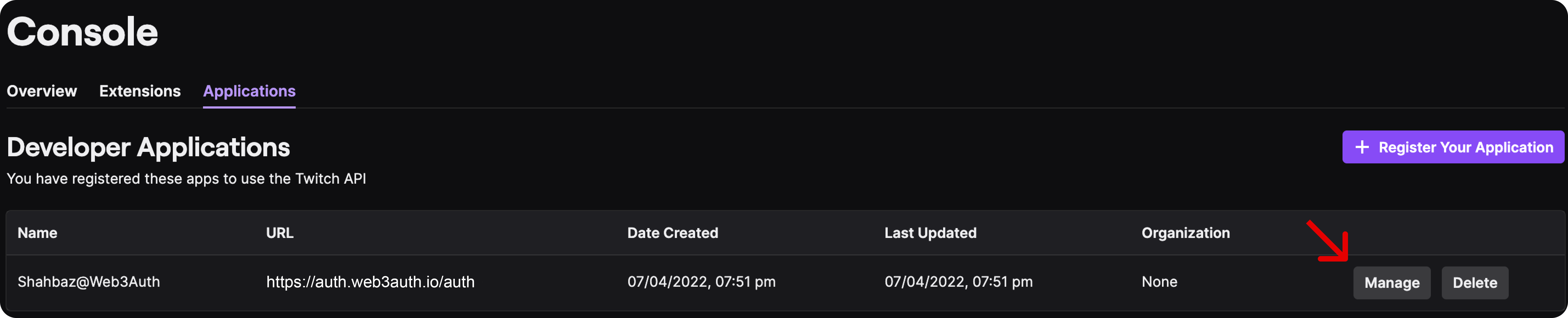
-
Obtain the Client ID.
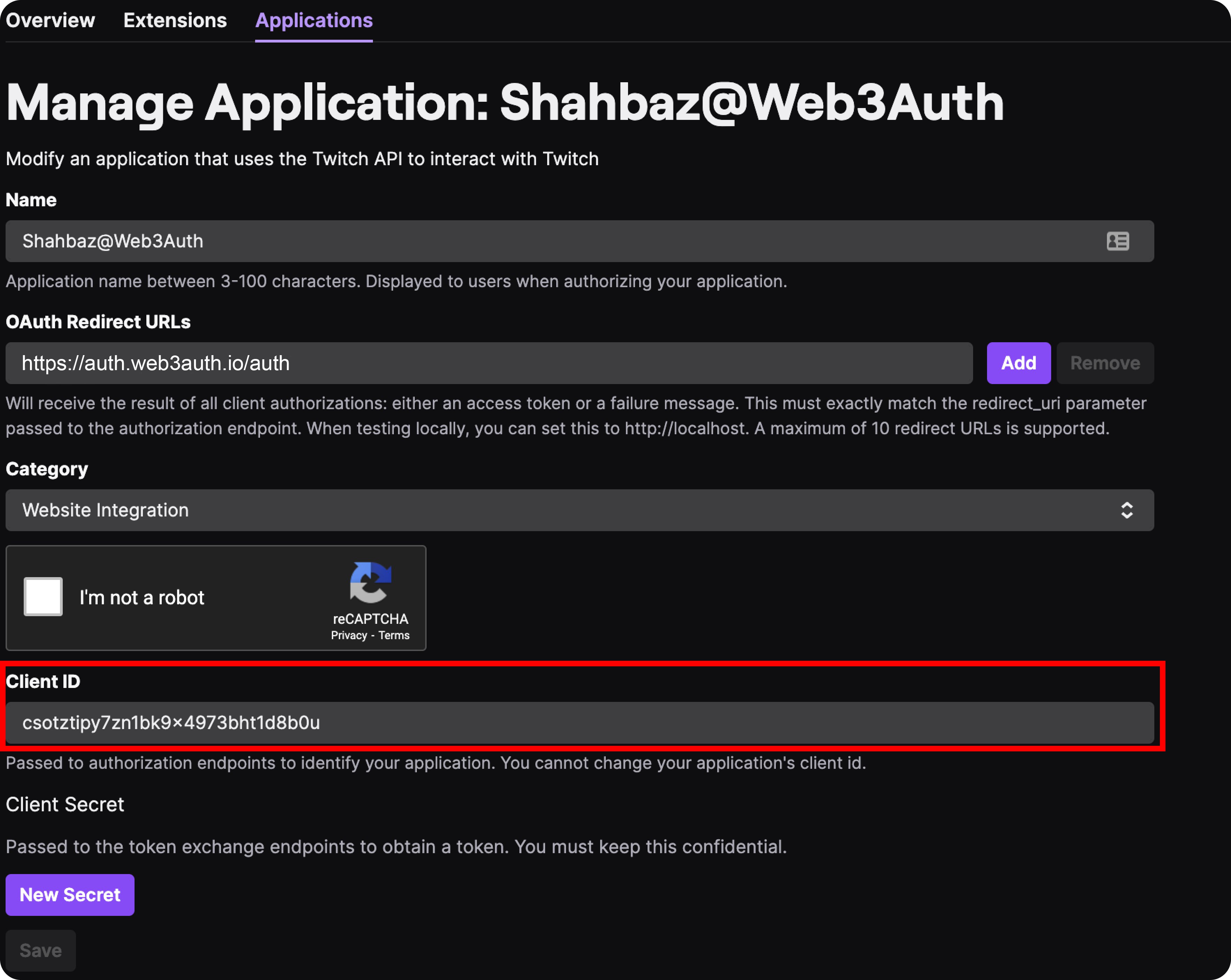
Step 2: Create a Twitch connection
To use this feature, please enable Twitch from the Social Connections section in the dashboard.
By default, Web3Auth uses its own pre-configured credentials for Twitch login.
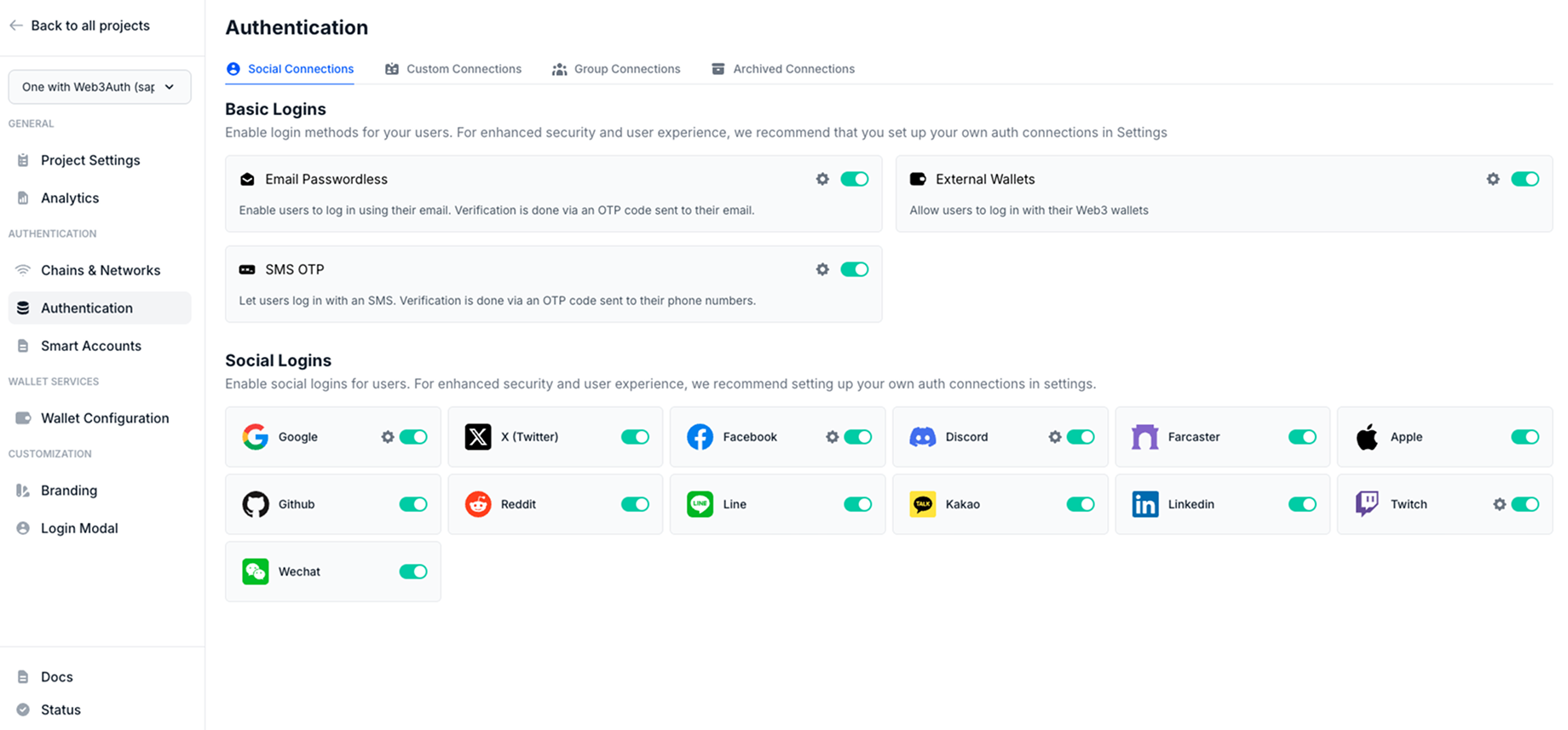
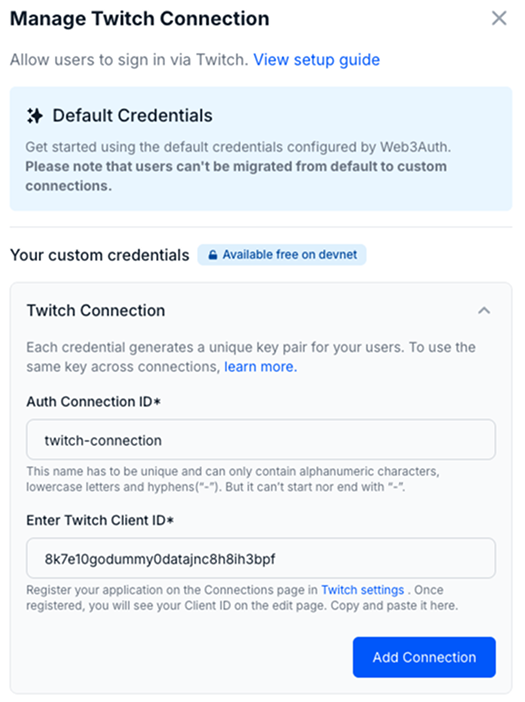
Follow these steps to create a Twitch connection:
- Visit the dashboard.
- Go to the Social Connections section.
- Click on the Settings icon near the Twitch connection.
- Enter the
Auth Connection ID. - Enter the
Twitch Client ID. - Finally, click on the Add Connection button.
Usage
Since, the Twitch connection details are available from the dashboard, developers don't need to pass any additional parameters to the Web3AuthProvider.
Follow our quickstart to set up the basic flow.
Log in with Twitch
await connectTo(WALLET_CONNECTORS.AUTH, {
  authConnection: AUTH_CONNECTION.TWITCH,
  authConnectionId: 'w3a-twitch-demo',
})